![Notify_Refresh_MasterLogo_CMYK[1]](https://helpcentre.notifytechnology.com/hs-fs/hubfs/Notify_Refresh_MasterLogo_CMYK%5B1%5D.png?width=291&height=117&name=Notify_Refresh_MasterLogo_CMYK%5B1%5D.png)
Uploading a Cover Sheet
1. Log in to your Notify account
You can log in to your Notify account here.
2. Click on Template Manager and select either Risk Templates or Method Templates
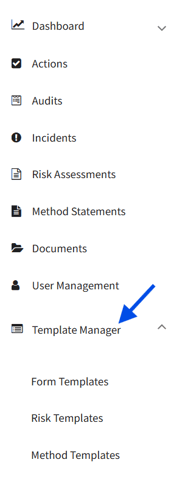
3. Select the relevant template and click 'Edit

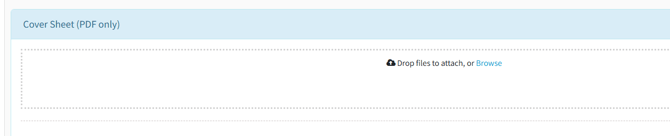
3. In 'Edit' mode, navigate down to 'Cover Sheet (PDF Only)
From here you can attach a PDF copy of the cover sheet and hit 'Publish'. It will then be available to add onto the Risk Assessment or Method Statement.
When should I use Cover Sheets?
Cover Sheets are particularly useful for high risk tasks or projects where contractors or clients require a formal front page.
For example, when preparing RAMS for a contractor who mandates a Cover Sheet, you can add it directly within Notify. On export, the Cover Sheet is included automatically, ensuring your RAMS pack is compliant and ready for site use without additional manual steps.